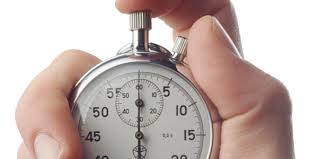
Profiling the code is the process of gathering information about the resource requirements of the individual calls in your code.
Profilers sample the code performance by stopping the execution of code every few milliseconds, gauging which process is being engaged, and recording the resource utilization.
Example:
f <-function() {pause(0.1)g()h()}g <-function() {pause(0.1)h()}h <-function() {pause(0.1)}
Profiling
Profile the execution of f():
- `profvis::pause()` is used instead of `Sys.sleep()`
  as the latter makes R use no resources
- profile `f()`, with `utils::Rprof()`
Profiling a loop that modifies an existing variable: most of the time is spent in garbage collection (i.e. releasing and reclaiming memory that is no longer needed).
profvis::profvis({ x <-integer()for (i in1:1e4) { x <-c(x, i)}})
You can figure out what is the source of the problem by looking at the memory column. In this case, copy-on-modify acts in each iteration of the loop creating another copy of x.
All the time is being spent in the concatenation operation.
Nearly the same amount of memory is being asked for and is being released.
Limitations
Profiling does not extend to C code.
C code can be profiled with its own tools in C IDEs.
Anonymous functions do not show up properly.
Lazy evaluation of function arguments makes things complicated.
Are things evaluated inside another function, and whose line is it anyway?
Exercise
Where is the time being spent in this function?
profvis::profvis({ f <-function(n =1e5) { x <-rep(1, n)rm(x)}}, torture =10)
In software development, microbenchmarking is understood as measuring time or other aspects of performance of a very small piece of code. You expect the code to run microseconds, but you know that in your larger project, you will run this thousands or millions of times. It is particularly useful when you are considering different implementations of that very frequently repeated step, and want to maximize performance.
Credits: Google search-engine
Microbenchmarking
x <-runif(100)uniroot_sqrt <-function(x) { solution <- xfor(i inseq_along(x)) { solution[i] <-uniroot( f =function(z, a) { z*z - a }, interval =c(0,1), tol =5* .Machine$double.eps,a = x[i]) |> purrr::pluck('root') } solution}
Microbenchmarking
mb1 <-microbenchmark(sqrt(x), x ^0.5,exp( 0.5*log(x)),uniroot_sqrt(x))mb1
The underlying data.frame()-ish object is only expr and time. What you see above is the summary() method applied to it. (Output of plain mb1 differs between rendering systems; interactively it is passed through the print() method.)
Microbenchmarking
Much greater detail is provided by the {bench} package: bench::mark().
lb <- bench::mark(sqrt(x), x ^0.5,exp( 0.5*log(x)),uniroot_sqrt(x))lb
Again, what you see above is summary(lb). Timing for each run is inside the S3 class components. (Output of plain lb differs between rendering systems; interactively it is passed through the print() method.)
Microbenchmarking distributions
plot(lb)
Results are typically heavily skewed: some calculations may have hit “unfortunate” moments with the system was busy with something else. Pay more attention to medians rather than means. The uniroot-based calculation was so slow that bench::mark() decided to stop after a few hundred runs rather than the default 10000 runs, so as to fit the total simulation budget of 0.5 sec.
Other considerations
Things that can/will affect performance, some are hard to measure:
Scaling
bubble sort: \(O(n^2)\), actual sort: \(O(n \log n)\)
matrix inversion: \(O(n^3)\) in linear algebra classes, \(O(n^{-2.3})\) with the best algorithms
I/O bottlenecks
CPU cache \(\approx\) 1000x faster than RAM which is \(\approx\) 1000 faster than local HDD which is \(\approx\) 10–100 faster than network/cloud
Laziness and prudence: when things get evaluated and put into memory
Understand how parallel processing (future, mirai) passes objects between instances, depend on each others’ completions, and wait for one another otherwise